Prafull Joshi
RupeeClarity
Interest that Talks Back
A menu-driven C program that calculates, compares and explains Simple Interest and Compound Interest in Indian Rupees — without hiding the working.
Try it now
Run in browser
The original C program, compiled to WebAssembly. It runs entirely on your device — no install, no sign-in, and nothing is sent anywhere. Click the terminal and type, or use the box and buttons below (best on a phone).
Try 3 → 10000 → 10 → 2 → 1 (yearly compounding) to see why compound interest earns ₹100 more.
Eleven modules
What the program can do
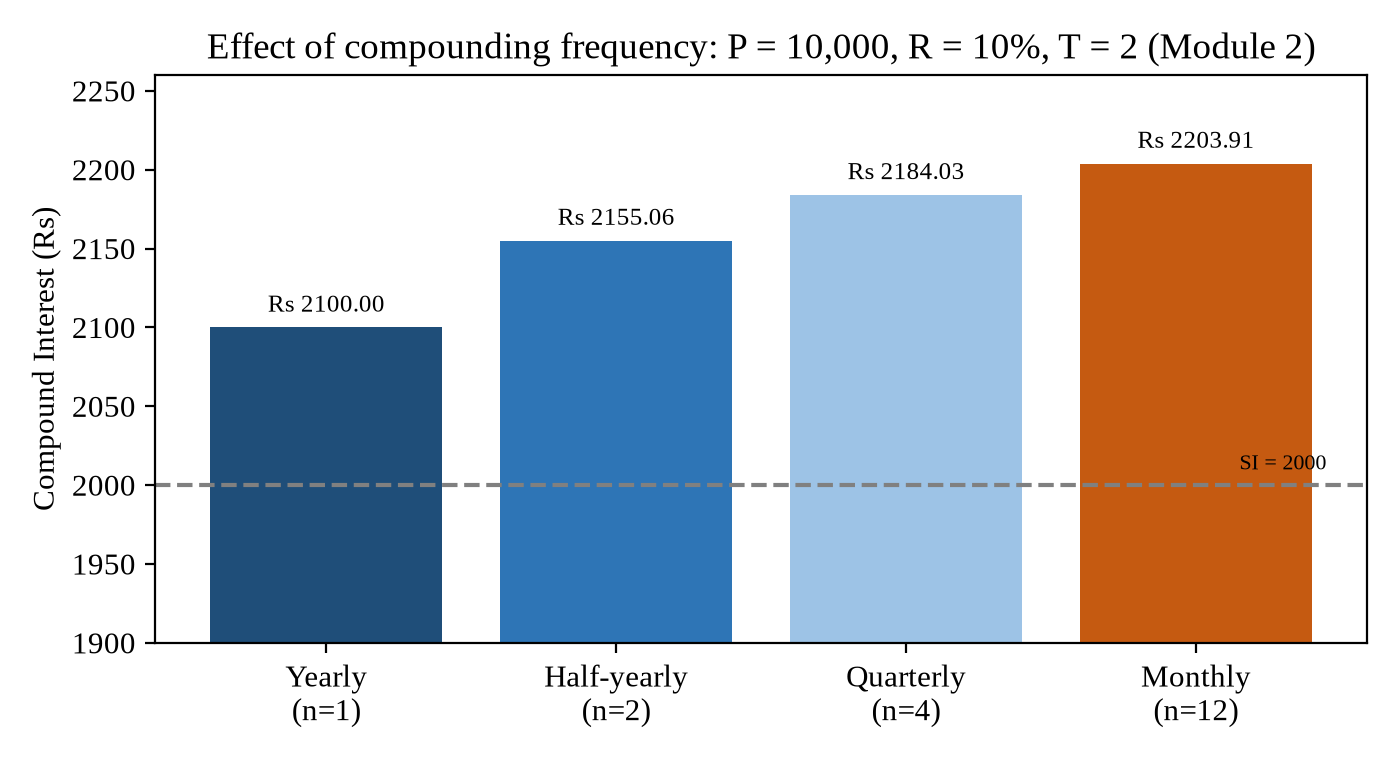
Each module is a numbered choice on the main menu. Values are entered as principal (P) in rupees, rate (R) in percent, and time (T) in years. Compound interest modules also ask for a compounding frequency: yearly, half-yearly, quarterly or monthly.
-
Simple Interest Lab
Calculates simple interest and the total amount, and shows the formula SI = (P × R × T) / 100 with the numbers filled in.
-
Compound Interest Lab
Calculates compound interest and the total amount for yearly, half-yearly, quarterly or monthly compounding, and shows A = P × (1 + R/(100×n))(n×T) with the working.
-
Compare SI vs CI
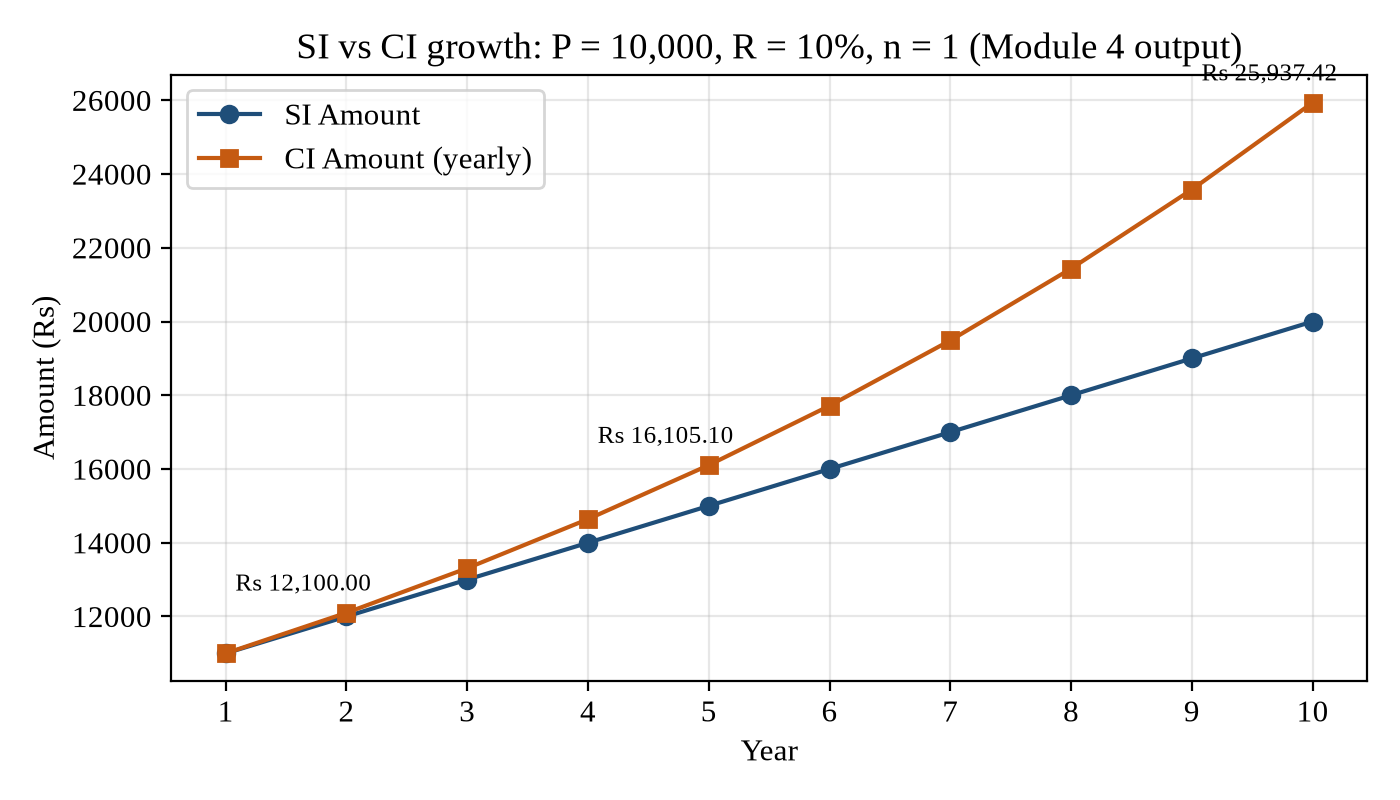
Places simple and compound interest side by side for the same P, R, T and frequency, reports the extra (CI − SI), names a winner, and explains that last year’s interest starts earning interest when money is compounded.
-
Year-by-Year Table
Prints SI amount, CI amount and the gap for each whole year, so the growing difference is visible. The table is limited to 30 rows.
-
Goal Check
Asks for a target amount, then reports whether the SI amount and the CI amount each reach it.
-
What-If +1%
Recalculates the compound-interest amount at the rate you entered and at one percentage point higher, and shows the difference.
-
Years to Double / Rule of 72
Estimates how many years money takes to double using 72 / R, and notes that the Rule of 72 is a shortcut, not an exact result.
-
Story Mode
Explains in plain language why compound interest beats simple interest: simple interest is like a fixed salary, while compound interest puts last year’s interest back to work. The extra is not a rounding error.
-
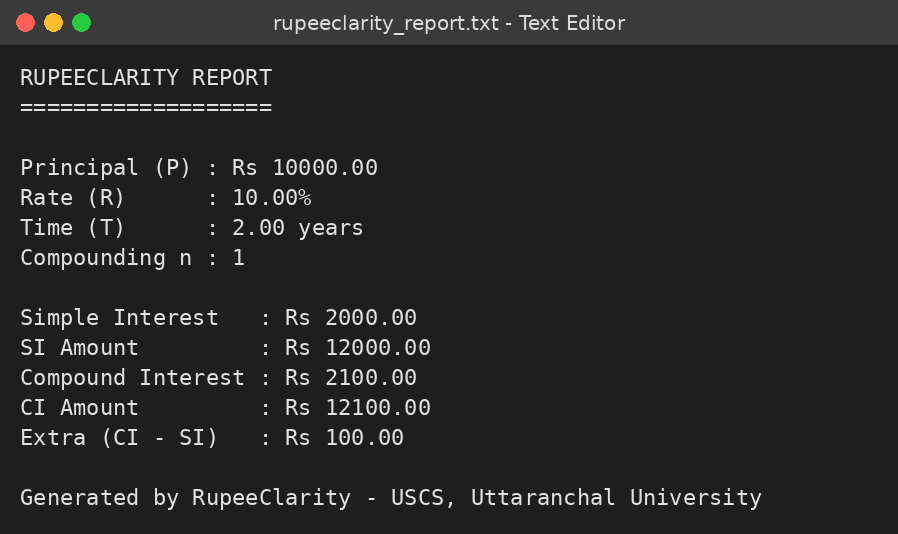
Save Report
Writes
rupeeclarity_report.txtwith P, R, T, compounding frequency, SI, CI and the extra. In this browser version, use Download report afterwards to save the file to your device. -
Formula Vault
Lists every formula the program uses — simple interest, compound interest, and the Rule of 72 — and the meaning of P, R, T and n.
-
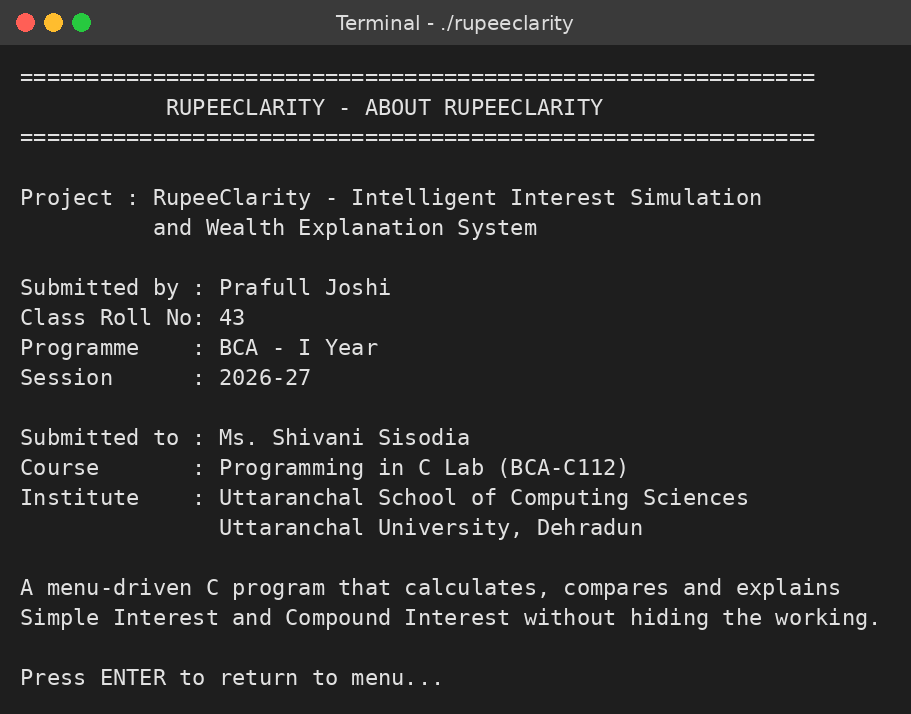
About
Shows the project card: Prafull Joshi, Class Roll No. 43, BCA-I, session 2026–27, guide Ms. Shivani Sisodia, course Programming in C Lab (BCA-C112), Uttaranchal School of Computing Sciences, Uttaranchal University, Dehradun.
The classic example
Why compound interest earns ₹100 more
Principal ₹10,000 at 10% per annum for 2 years, compounded yearly — the output of module 3, Compare SI vs CI.
| Quantity | Simple Interest | Compound Interest |
|---|---|---|
| Interest earned | ₹2,000.00 | ₹2,100.00 |
| Final amount | ₹12,000.00 | ₹12,100.00 |
| Extra from compounding | — | ₹100.00 |
The extra ₹100 is not a rounding error: it is the first year’s ₹1,000 interest earning 10% in the second year.
From a real session
Screenshots
Captured from the compiled C program running in a terminal.
-
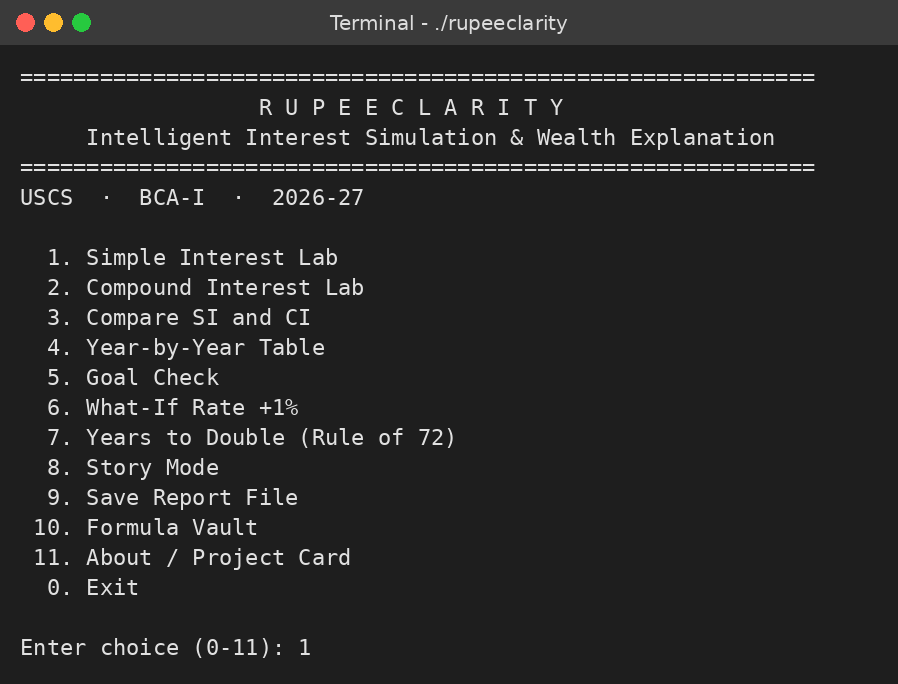
Main menu -
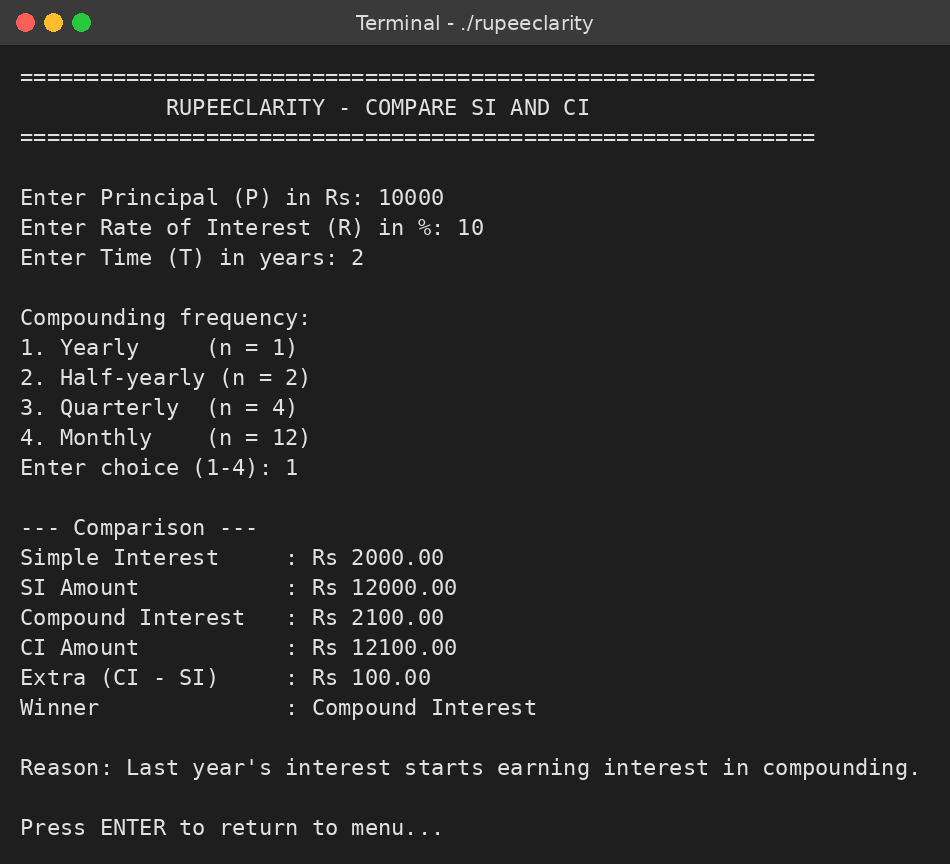
Compare SI and CI -
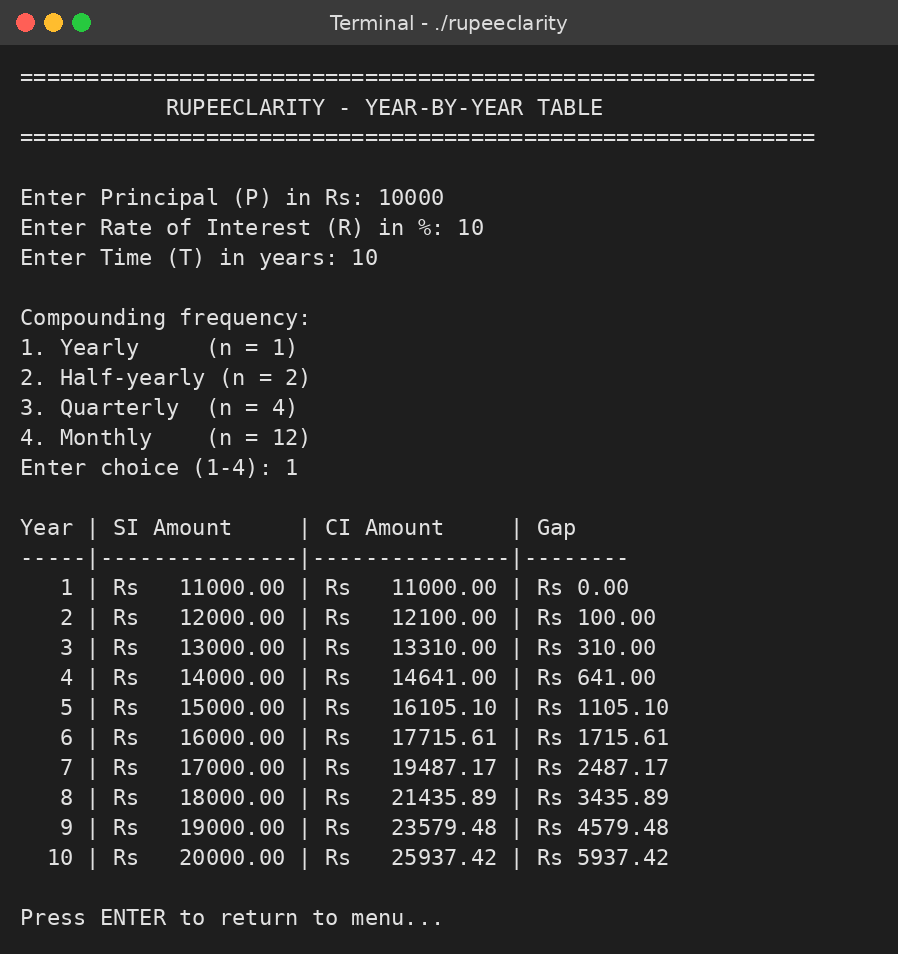
Year-by-year table -
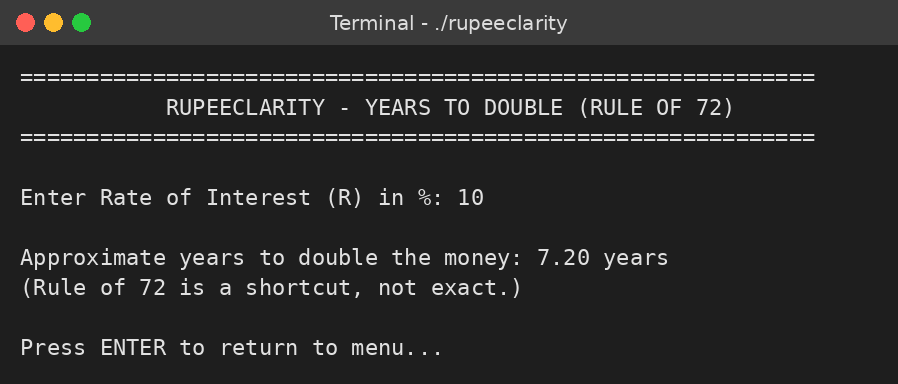
Years to double (Rule of 72) -
Saved report file -
About / project card -
Simple vs compound interest -
Compounding frequency
Walkthrough
Demo video
A real terminal session of the compiled program (8 minutes 47 seconds, 1080p). It shows the build, every module from 1 to 11, the saved report file, input validation and exit.
If the player does not start, download the MP4 or watch it on GitHub.
Native builds
Download
Ready-to-run programs from the latest GitHub release. No compiler is needed. You can also keep using the browser version above.
- Windows 10/11 (64-bit) rupeeclarity-windows-x64.exe
- macOS 11+ (Apple Silicon and Intel) rupeeclarity-macos-universal
- Linux x64 rupeeclarity-linux-x64
- Linux ARM64 rupeeclarity-linux-arm64
- Android 64-bit (Termux) rupeeclarity-android-arm64
- Android 32-bit (Termux) rupeeclarity-android-armv7
Android via Termux
Install Termux from F-Droid (the Play Store version is outdated), open it, and run this one-liner. It picks the 64-bit or 32-bit build for your phone.
curl -fsSL https://raw.githubusercontent.com/PrafullJ0shi/RupeeClarity/main/install.sh | bashProject files
Documents
Submitted as part of this BCA-I mini project. Opened on GitHub.